
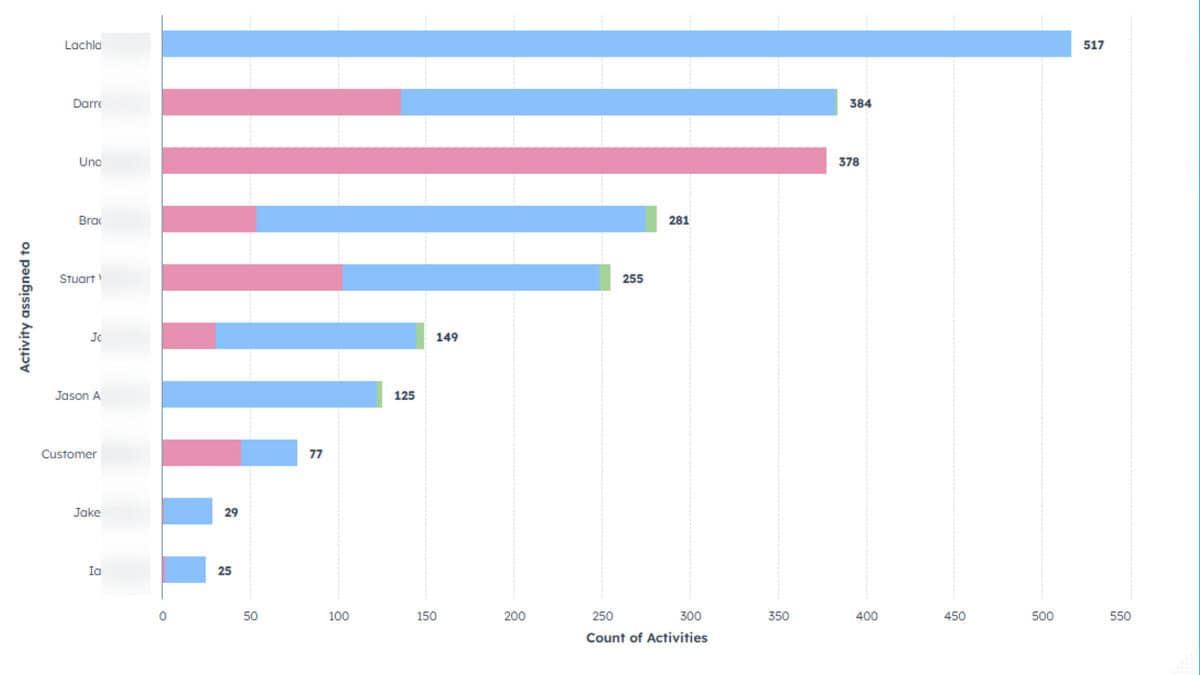
If you manage a sales team, whether it's one rep or twenty, daily visibility into a handful of metrics separates hit-or-miss performance from consistent growth.
In this quick walkthrough, Damien shows six essential HubSpot reports to add to a dashboard that managers and teams can check every day. Focus on deals closed (revenue), pipeline value, deal count, and rep activity (calls, emails, meetings) to spot winners, diagnose gaps, and drive accountability.
Use HubSpot’s built-in reporting and mobile logging so nothing happens outside the CRM. Calls, emails and calendar meetings all get tracked automatically.
Configure each report for different time periods (daily, monthly, financial year) and for individual reps to make performance transparent at a glance. These six reports take minutes to set up and deliver the clarity your sales team needs to hit targets and grow revenue.
Check out the full video below:
Want reports like this for your business? CLCK Media is an Australian HubSpot Platinum Partner that helps SMEs get more from their CRM. If you need the data and dashboard structure behind the reports fixed, see our HubSpot reporting dashboards support.